92 Notify for WooCommerce
WooCommerce Product Notifications
92 Notify is a custom WooCommerce plugin that allows shoppers to register their interest in a product and receive an email when it's back in stock. Store administrators can manage the notification workflow, plugin settings, and subscriber records through dedicated WordPress admin screens.
Product interest should not disappear when a visitor leaves
Interest disappears when visitors leave
A shopper interested in an out-of-stock product may simply leave and never return.
Spreadsheets don't scale
Manually tracking who wants to know about which product is tedious and error-prone.
Manual outreach doesn't scale either
Emailing interested shoppers one by one becomes unmanageable as interest grows.
Generic plugins, specific workflows
Off-the-shelf notification plugins may not match a store's exact catalog structure or process.
No clear view of demand
Administrators need to see who's interested in what, in one place, not scattered across tools.
The form has to stay out of the way
The customer-facing opt-in needs to stay simple and unobtrusive on the product page.
A focused flow from product interest to notification
A shopper visits a WooCommerce product page
The notification form appears once the product is out of stock and in a configured category
The shopper enters their email address
The plugin validates and stores the subscription
The subscription is linked to the exact product or variation
The administrator can review it from the Subscribers screen
When the product is restocked, notification emails are queued — automatically or via the admin's Notify button
Notified subscribers are marked so they aren't emailed twice
Minimal effort, built into the product page
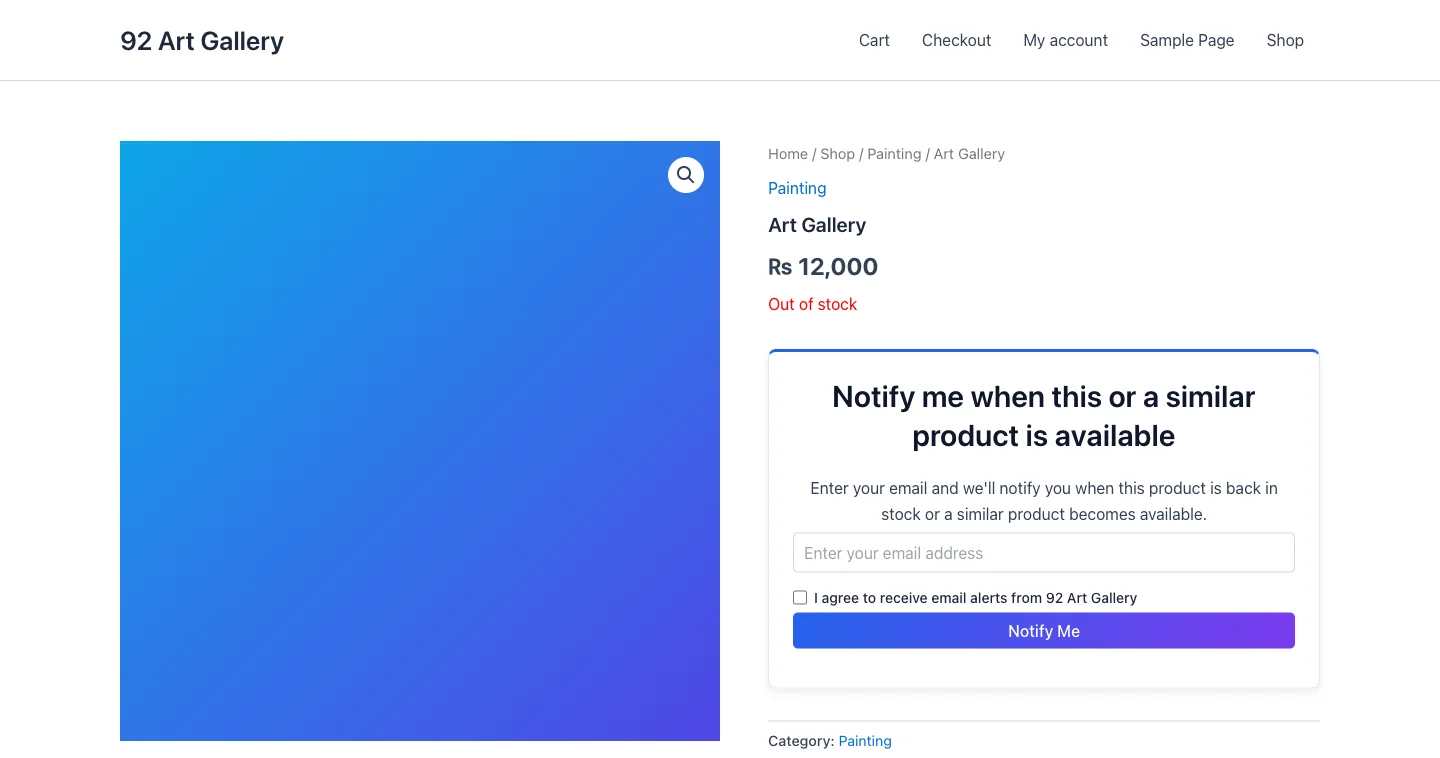
The notification form appears directly within the existing product page once the item is out of stock and in a configured category — no separate account or page required. A shopper enters their email, agrees to receive alerts, and the plugin validates and stores the subscription, linked to that exact product or variation. The form fits inside the store's existing WooCommerce layout rather than replacing it.
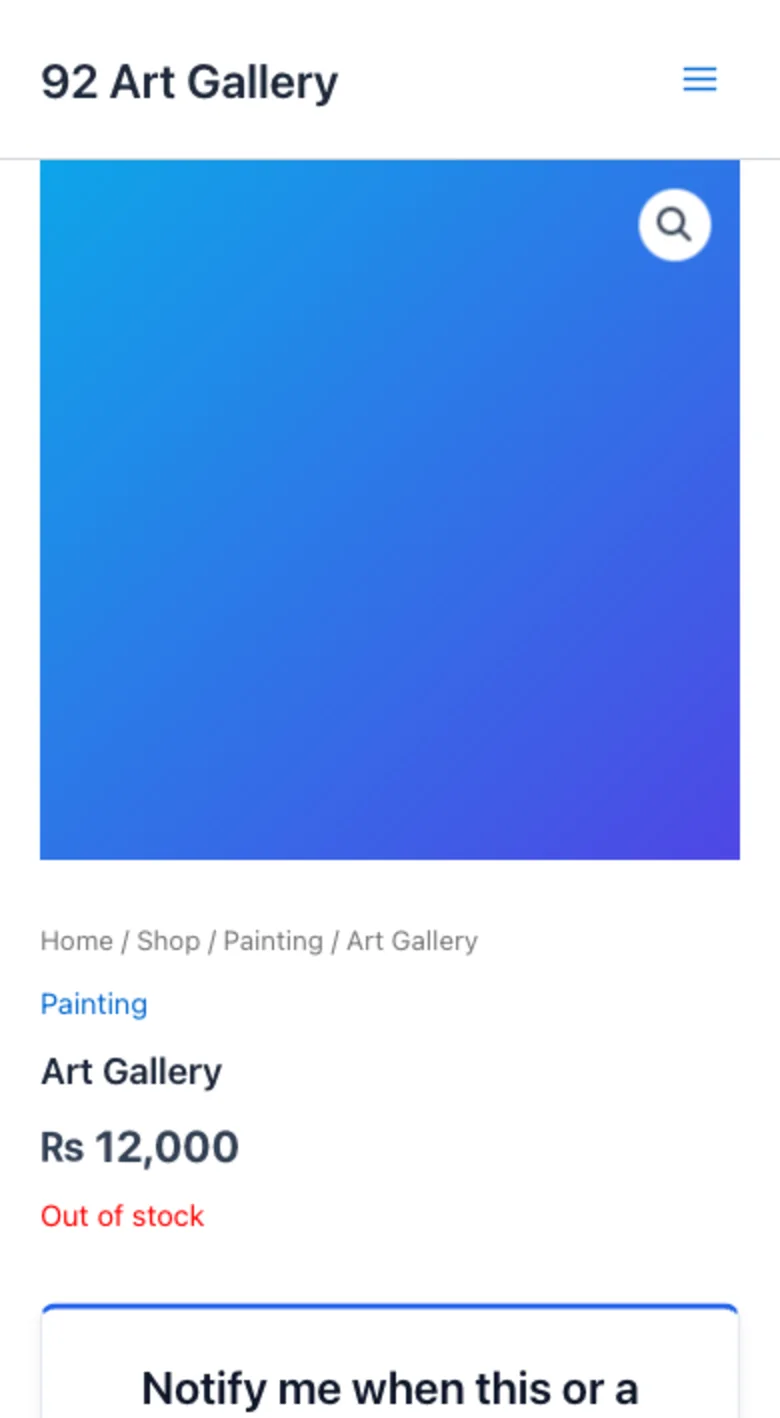
Responsive on smaller screens.
Store-level control without editing code
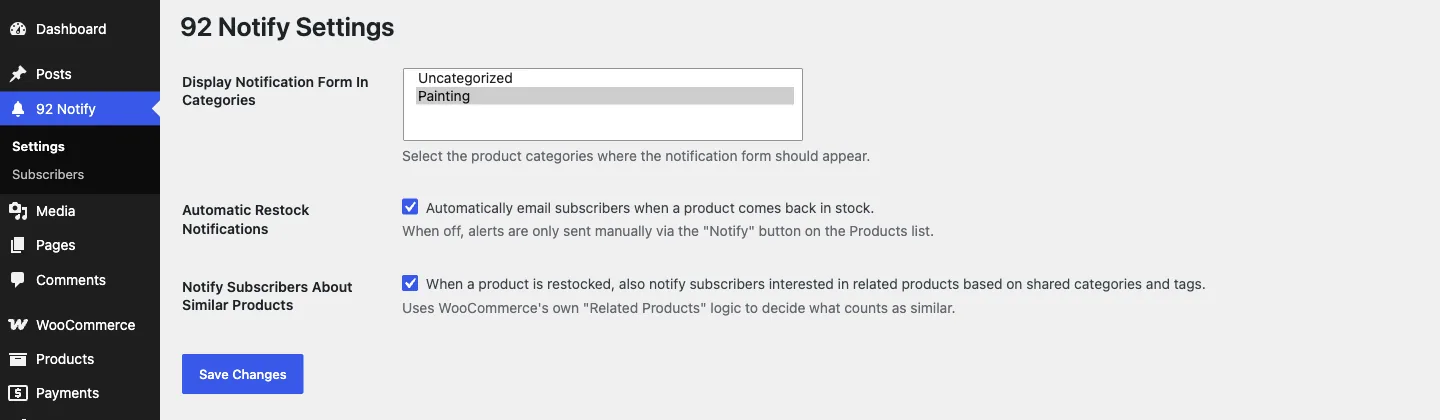
Display Notification Form In Categories
Choose exactly which WooCommerce product categories show the notification form.
Automatic Restock Notifications
Automatically email subscribers when a product comes back in stock, or leave alerts manual-only via the Notify button on the Products list.
Notify Subscribers About Similar Products
When a product is restocked, also notify subscribers interested in related products, based on WooCommerce's own shared category and tag logic.
A clear view of product demand
The subscriber-management screen gives administrators a centralized view of customer interest, associated products, and subscription records without requiring direct database access.
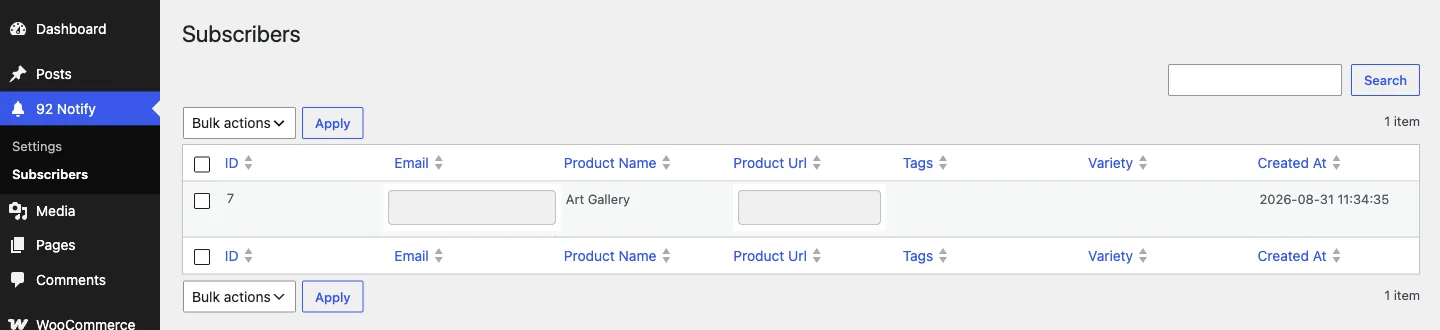
Sortable columns, search, and bulk delete are all built on WordPress's own admin list-table.
From product view to notification
Customer views product
Subscribes for notification
Plugin stores subscription
Product is restocked
Notification email sent
Status recorded
What the plugin delivers
WooCommerce product-page integration
Product & variation-specific subscriptions
Back-in-stock email alerts
Optional related-product alerts
Category-restricted display
Manual or automatic notification triggers
Duplicate-subscription prevention
Subscriber-management dashboard
Search & sortable subscriber table
Bulk delete actions
Responsive customer-facing form
WordPress-native settings screen
Built on WordPress and WooCommerce's own APIs
The plugin integrates with WooCommerce through WordPress hooks, adds a customer-facing notification workflow to product pages, and provides dedicated administrative screens for configuration and subscriber management.
Custom database table
Subscriptions are stored in their own table, created on activation.
WooCommerce hooks
Integrates via WooCommerce's stock-status and stock-change hooks, for simple products and individual variations.
WordPress Settings API
The settings screen is built on WordPress's own Settings API, not a custom form handler.
WP_List_Table
The subscribers screen uses WordPress's native list-table class for a familiar admin experience.
AJAX + Action Scheduler
Subscriptions submit over AJAX; restock notifications are queued and sent in staggered batches via Action Scheduler.
wp_mail()
Notification emails are sent through WordPress's own mail function.
What's implemented
- Admin screens and actions are restricted to users who can manage_options
- Admin actions — sending a manual alert, deleting a subscriber — are nonce-verified
- Submitted email addresses are validated server-side before being stored
- Subscriber data is sanitized before it's written to the database
- A duplicate-subscription check prevents the same email subscribing twice to the same product or variation
Designed with subscriber data in mind
- Only the email address needed to send the notification is collected
- Email addresses are validated server-side before being stored
- Subscriber management is restricted to authorized WordPress administrators
- No customer account or login is required to subscribe
- Subscriber data stays inside the store's own WordPress database
Familiar for administrators, simple for customers
A structured way to capture product interest
The completed plugin gives WooCommerce stores a structured way to capture product interest and manage customer notifications. Shoppers receive a simple subscription experience, while administrators gain dedicated controls for configuration and subscriber oversight.
- A working custom WooCommerce plugin
- Customer notification functionality integrated into product pages
- A dedicated configuration page
- Centralized subscriber management
- Reduced need for manual subscriber spreadsheets
- A maintainable foundation for future notification features
- A customer-facing experience that works within the existing store design
- Reusable WordPress plugin architecture

Need a WooCommerce feature existing plugins can't provide?
92 Nodes builds custom WordPress and WooCommerce plugins around real store workflows, integrations, and operational needs.
More projects