92 Text Expander
Type Less. Write Faster.
92 Text Expander is a lightweight Chrome extension that replaces custom shortcuts with complete reusable text. It helps professionals respond faster, reduce repetitive typing, and maintain consistent communication without requiring an account or sending snippets to an external server.
Repetitive typing adds up
Typing the same reply, again
Repeating the same answers, greetings, and explanations dozens of times a week.
Digging through old messages
Searching old emails or chats just to find a paragraph you know you've written before.
Copy-paste from documents
Keeping a separate doc of canned replies and copying from it by hand.
Inconsistent communication
Meeting messages, customer responses, and signatures that drift from person to person.
Accounts, subscriptions, and privacy
Existing tools that require an account or a subscription, and store reusable text remotely.
Small mistakes, repeated
Retyping the same address, link, or detail introduces the same typo more than once.
A few keystrokes, a complete response
Users save frequently typed content once and recall it wherever they work. A short trigger such as ;meeting can become a complete scheduling message in seconds.
Create a memorable shortcut
Add the complete text
Type it on a supported website
The extension detects the match
It's replaced with the saved content
It works across most ordinary websites — inputs, textareas, and rich-text fields — not every possible Chrome page.
Watch a shortcut become a full reply
A simulated demonstration built for this page — it is not connected to the real extension.
A simulated demonstration, not connected to the real extension.
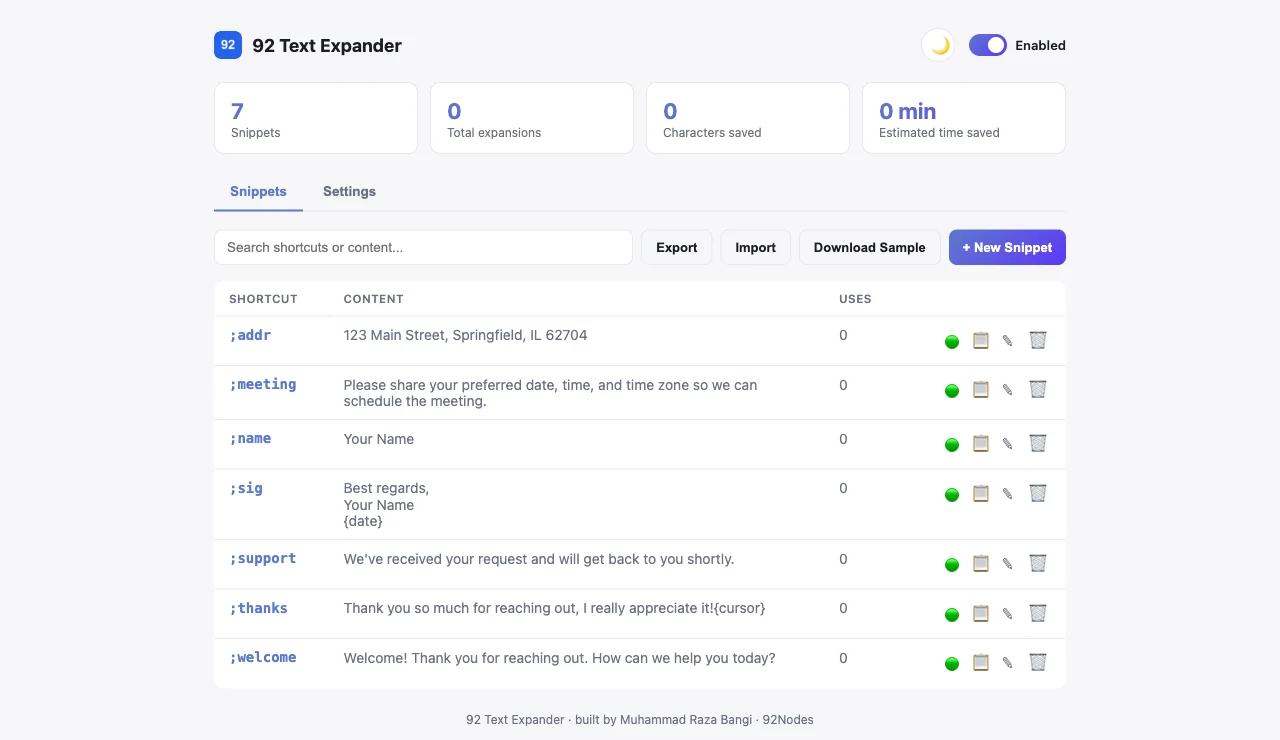
One place for every reusable response
- View, search, and sort every saved snippet
- Add a new shortcut with a live preview
- Edit any snippet's shortcut or expanded text
- Delete a snippet, with a confirm-before-delete step
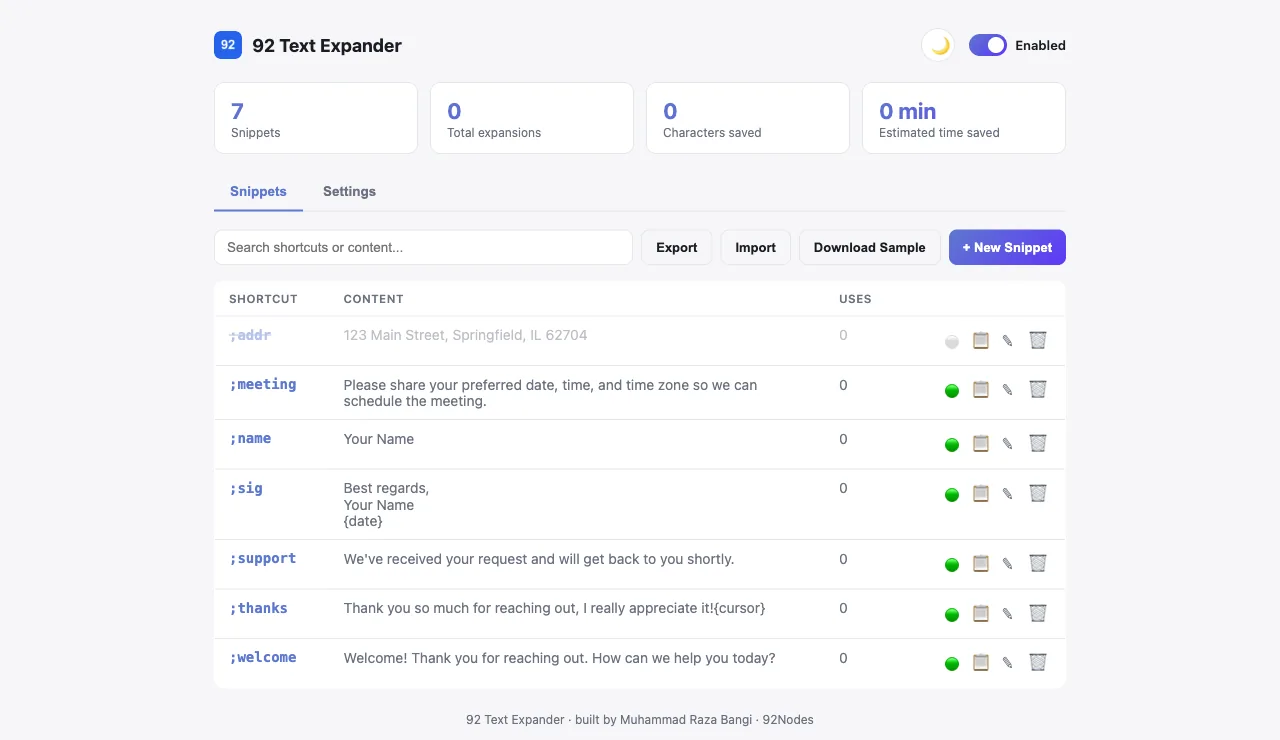
- Pause or resume individual snippets without deleting them
- Turn text expansion on or off globally
- Exclude expansion on specific sites
- Import or export snippets as a JSON file
What the extension delivers
Unlimited custom shortcuts
Instant and delimiter-triggered expansion
Pause and resume individual snippets
Global on/off with a keyboard shortcut
Works in inputs, textareas, and rich text
No account required
No subscription
Local Chrome storage only
Import and export as JSON
Search across every snippet
Lightweight, focused interface
Manage All dashboard
Your snippets stay in your browser
- Snippets and settings are stored locally through Chrome's storage API
- No account is required to use the extension
- No subscription is required
- The extension does not need a remote account database for snippets
- The Chrome Web Store listing states that the developer will not collect or use your data, and declares it is not sold, used for unrelated purposes, or used for credit or lending decisions
- Saved text remains on the user's device under the current published privacy model
Responsible use: users should avoid storing passwords, private API keys, banking details, authentication tokens, or other highly sensitive secrets inside a general text-expansion tool.
Built for anyone who repeats themselves
Customer Support
Save common answers and provide faster, more consistent replies.
Sales Teams
Reuse introductions, follow-ups, and meeting messages.
Developers
Store Git commands, SQL queries, code fragments, and technical responses.
Freelancers & Agencies
Quickly insert proposals, project questions, and client updates.
Recruiters & HR
Reuse interview scheduling and candidate communication.
Writers & Students
Insert repeated phrases, references, or structured text.
A closer look at the extension
Every screenshot below is captured from the real, installed extension.
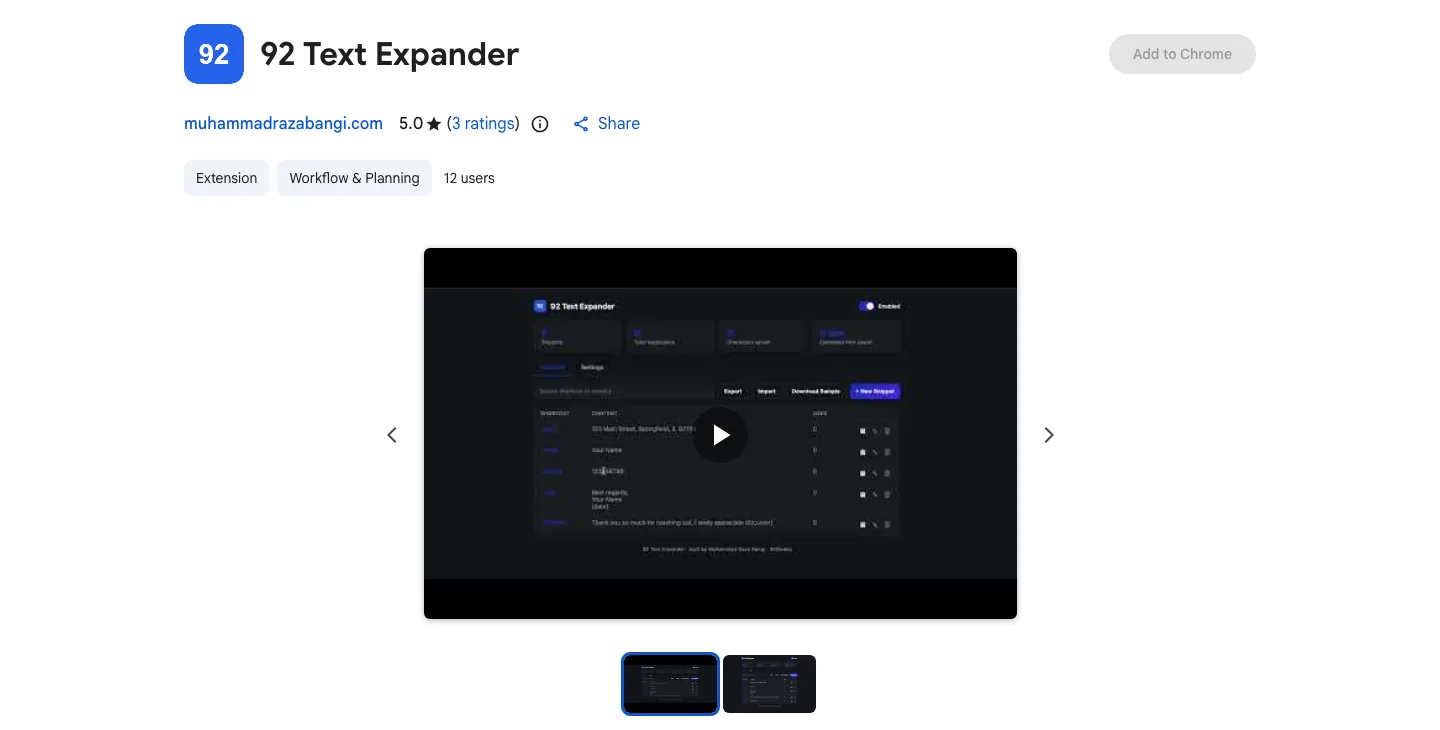
Install directly from the Chrome Web Store
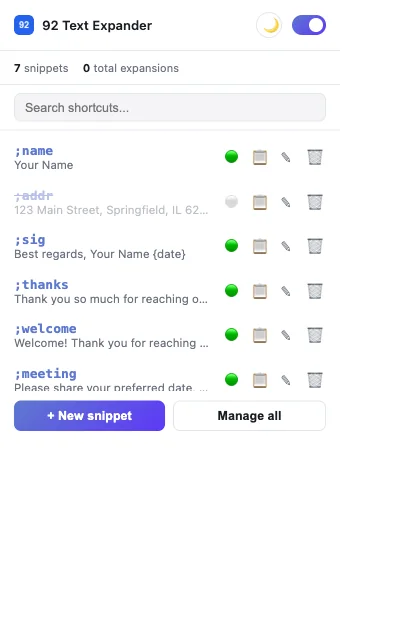
Control text expansion from a lightweight popup
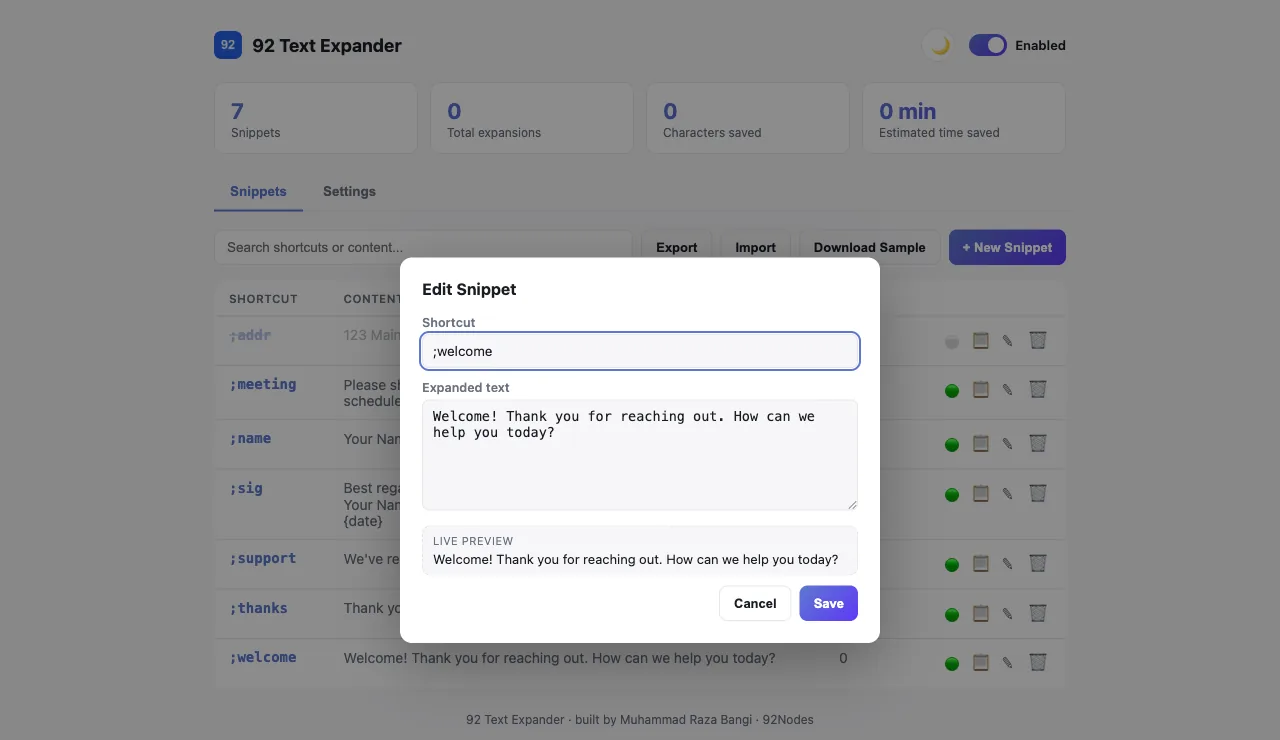
Create and manage reusable shortcuts
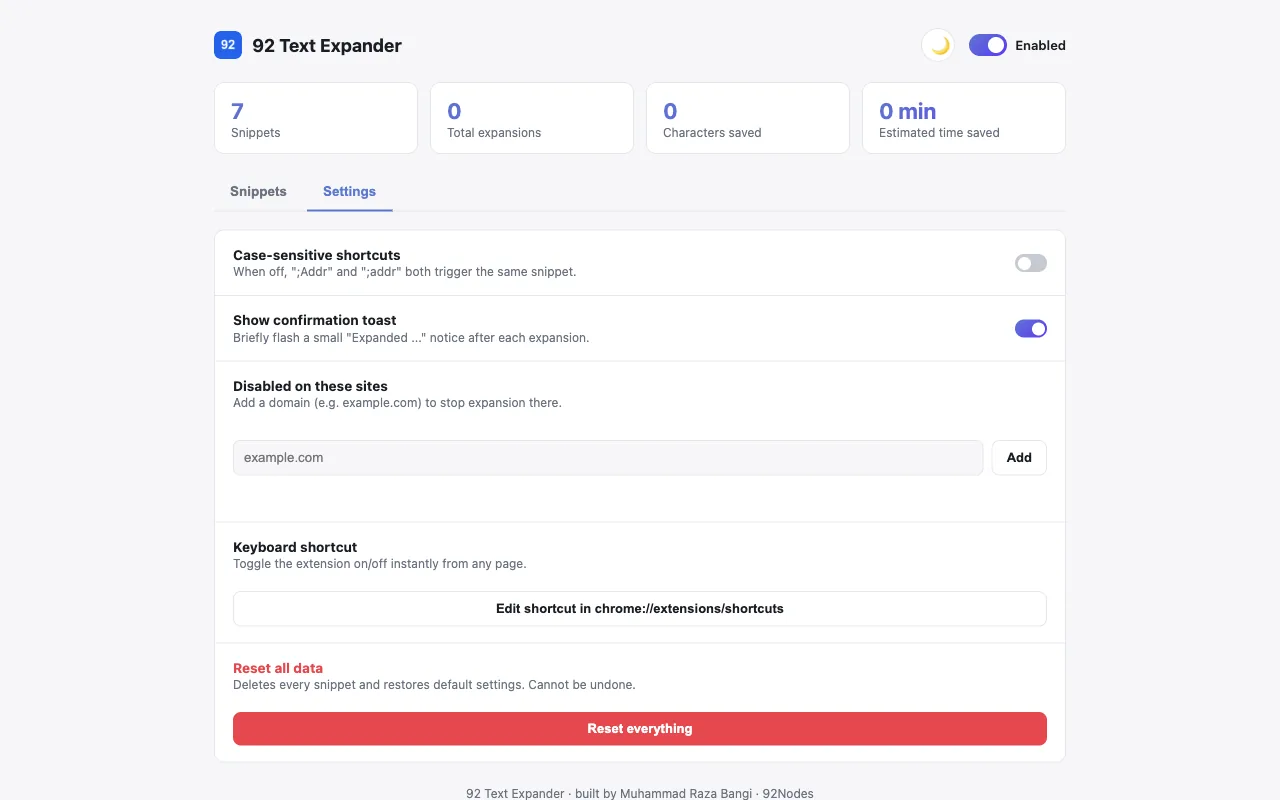
Fine-tune matching, notifications, and site exclusions
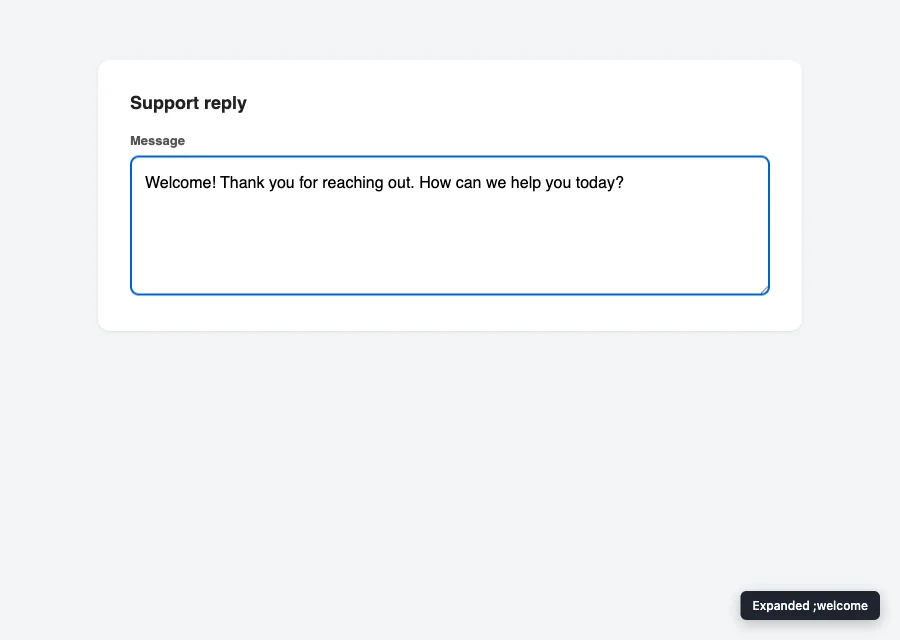
Turn short triggers into complete messages
Built on Chrome's extension platform
The extension uses Chrome's extension APIs and local storage to provide fast text replacement without requiring a separate account, subscription, or remote snippet database.
Manifest V3
Built on Chrome's current extension architecture.
JavaScript
A background service worker, content script, popup, and options page.
Chrome Storage API
Snippets and settings are read and written locally on the device.
Content script
Watches supported input, textarea, and rich-text fields for a shortcut match.
Popup & options page
A quick-access popup plus a full Manage All page for deeper editing.
Lightweight assets
A small, static footprint with no build step required at runtime.
Product-design priorities
A faster browser workflow
The completed product turns a repetitive everyday task into a faster browser workflow. Users can create their own shortcuts, manage reusable responses, and expand text across supported websites without signing up for another service.
- A working extension published on the Chrome Web Store
- Users can create reusable text shortcuts
- Repetitive messages can be inserted more efficiently
- Individual snippets can be paused without deletion
- The extension works without account creation
- Snippets are stored locally under the published privacy model
- The lightweight interface remains easy to understand
- The product supports several professional use cases
Publicly available, free to install

Have an idea for a useful browser extension?
92 Nodes designs and builds lightweight browser tools that solve focused workflow problems.
More projects